Category Archive Non classé

ByPatrick

WD cloud

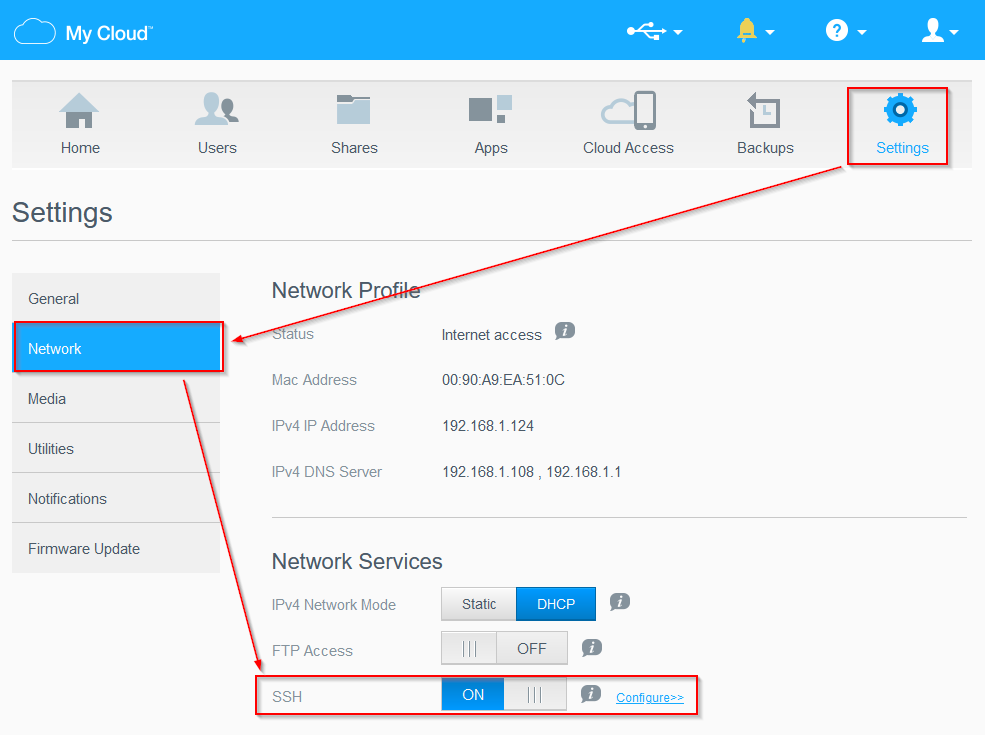
Après la dernière mise à jour, j’ai découvert qu’on pouvait activer le Serveur ssh sur mon WD cloud en cliquant comme ci dessous

J’ai juste eu du mal à trouver le login :

“root” is no longer exposed to end user ssh login. “sshd” is an alias for root and can be used.

Ca me permet par exemple maintenant de faire un “halt” sur ce device pour l’arrêter proprement car ce n’est plus possible depuis l’interface web sur ce modèle.

ByPatrick

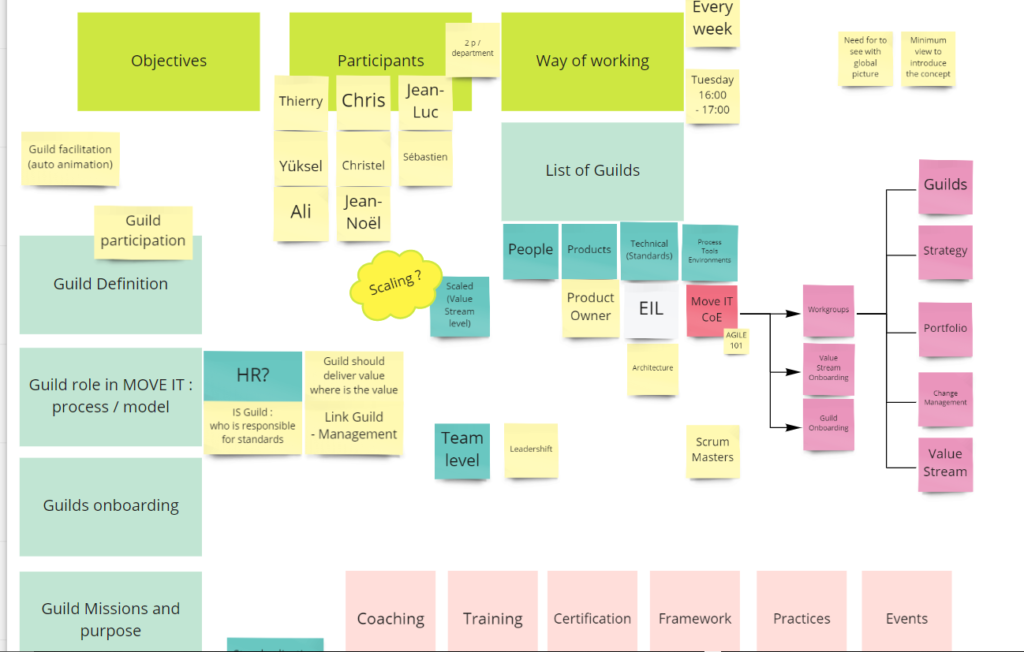
Petite antisèche pour agile

Une petite antisèche pour les éléments importants en “Agile” :

ByPatrick

Crucial Storage Executive

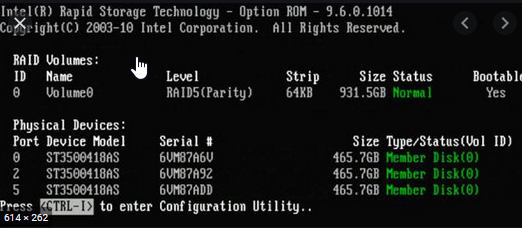
La surprise de la semaine c’était un message d’erreur au démarrage de mon pc après l’installation d’un ssd crucial, au niveau du BIOS, il m’indique que l’encryption du disque peut poser problème au niveau du raid.

1798- Hard drive with hardware encryption enabled detected while in RAID mode. Drive: SATA0 (Dark Blue). Drives that are using hardware encryption should not be included in RAID volumes. Using them may cause volume corruption and unpredictable behavior.

Il faut télécharger et installer https://www.crucial.com/support/storage-executive pour ensuite désactiver le PSID

Alors je l’ai installé sur un windows sur une clef bootable car il faut que la partition ne soit pas en cours d’utilisation et surtout, ça efface tout, il faut tout réinstaller from scratch.

Normalement, on a quelque chose qui ressemble à ceci :

et on obtient à la place un message d’avertissement qu’on peut by-passer en appuyant sur F1.

1798- Hard drive with hardware encryption enabled detected while in RAID mode. Drive: SATA0 (Dark Blue). Drives that are using hardware encryption should not be included in RAID volumes. Using them may cause volume corruption and unpredictable behavior.
ByPatrick

Installer OCS-inventory agent on linux

Voici les lignes de commandes que nous avons utilisé pour installer ocs-inventory sur un pc tournant sur Elementary OS 5.1.7

sudo sudo apt install make gcc libmodule-install-perl dmidecode libxml-simple-perl libcompress-zlib-perl openssl libnet-ip-perl libwww-perl libdigest-md5-perl libdata-uuid-perl libcrypt-ssleay-perl libnet-snmp-perl libproc-pid-file-perl libproc-daemon-perl net-tools libsys-syslog-perl pciutils smartmontools read-edid nmap libnet-netmask-perl
cd opt/
sudo wget https://github.com/OCSInventory-NG/UnixAgent/releases/download/v2.4.2/Ocsinventory-Unix-Agent-2.4.2.tar.gz
sudo tar -xvf Ocsinventory-Unix-Agent-2.4.2.tar.gz
cd Ocsinventory-Unix-Agent-2.4.2/
sudo perl Makefile.PL
sudo make
sudo make install

Merci à

https://www.youtube.com/watch?reload=9&v=qRMT3iL2LqY
ByPatrick

Powershell command to remove all windows 10 Applications

Get-AppxPackage -AllUsers | Remove-AppxPackage (attention, ça retire tout, jusqu’à la calculatrice)

Merci à https://www.howtogeek.com/224798/how-to-uninstall-windows-10s-built-in-apps-and-how-to-reinstall-them/

ByPatrick

Outils pour PME pour réinstallation d’OS / live OS

Pour réinstaller windows (7/8/10) nous utilisons win2Hdd Merci au passage à giveawayoftheday pour nous l’avoir fait découvrir.

Pour tout ce qui est linux, nous utilisons Easy2boot (même si ça permet aussi d’installer Windows)

ByPatrick

Outils pour PME pour maintenance des pc

Pour gagner du temps, nous utilisons choco et wapt pour installer les applications standards sur les postes clients Windows.

Pour nos plus gros client, nous avons aussi utilisé Microsoft System Center Configuration Manager et Symantec ITMS (Client Management Suite).

et évidement sous linux, nous utilisons :apt-get, flatpack et snap

Exemple de ligne de commande pour automatiser l’installation des applications clientes :

Set-ExecutionPolicy Bypass -Scope Process -Force; [System.Net.ServicePointManager]::SecurityProtocol = [System.Net.ServicePointManager]::SecurityProtocol -bor 3072; iex ((New-Object System.Net.WebClient).DownloadString(‘https://chocolatey.org/install.ps1’))

choco feature enable -n allowGlobalConfirmation

choco install firefox openvpn mremoteng adobereader jre8 freemind 7zip.install vlc skype sysinternals pdfcreator filezilla paint.net vscode winscp.install thunderbird greenshot fiddler audacity winmerge googleearth evernote tightvnc adblockpluschrome handbrake.install pstools vscode-powershell nugetpackagemanager adblockplus-firefox windbg checksum vmwarevsphereclient heidisql angryip xming qdir crystaldiskmark speedfan winmerge-jp iperf3 visioviewer2016 dosbox tcpview logparserstudio insted camstudio camtasia win32diskimager superorca winamp yed secunia.psi xmlconverter sqlio fastresolver.install pingplotter dotpeek windirstat scummvm

ByPatrick

Clouds que nous utilisons

Nous exploitons au maximum les avantages des différents cloud à notre disposition :

ByPatrick

Lien vers notre github

Voici le lien vers notre repository sur Github : https://github.com/cyberdive/

ByPatrick

J’ajouterai bientôt des articles à propos de

J’ajouterai bientôt des articles à propos de

  • Microsoft System Center Computer Manager
  • (feu) altiris (feu) Symantec ITMS
  • Flexera packager
  • Jenkins
  • Docker
  • Ansible